
Showing posts with label ofdm. Show all posts

Thursday, 12 November 2009

Finally my graphs how I want! Solution: QDialog

Here I am again with my lovely thesis...
After some trials with Qt and inheriting Qwt classes to plot good graphs on my user interface,
finally I found out the way to paint graphs and to show some buttons at the same time.

First of all I was creating QMainWindows, setting
my plot (inherited from QwtPlot) as the main widget of the window. But this way did not allow me to plot buttons, ButtonGroups, etc...
Setting the plot as main widget associated the whole graph to the entire window as following:

So, this was really limited for my purposes... :(

I got a bit crazy trying to plot more stuff in this mainwindow, but I (fortunately) gave up quick...

I discovered thanks to "C++ GUI Programming with Qt 4", book by Jasmin Blanchette & Mark Summerfield, that my best option was creating a QDialog and create the user interface window coding my own.

Qt Designer allows you to paint things manually, but I really prefer to set up things from the core of the programme and know exactly what I am doing...


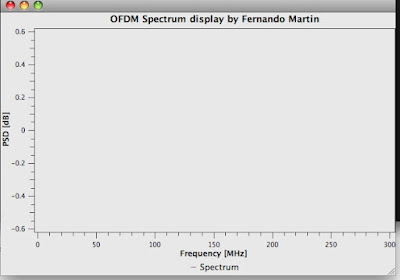
The result of my research in how to create dialogues today is as following:


Obviously, the graphs have nothing to do with what is written, and it is only a random flow of data, but the OFDM methods are not still implemented since they'll be taken from open source projects already working properly.

But I think that my knowledge on how to create the windows is quite enough for plotting what I want.


Next step: Link buttons and actions in the graphs, such stopping, saving the graphs in jpg, change functions plotted, etc...


Step by step and everyday closer...


Thanks for reading!

Tuesday, 27 October 2009

Setting up JackOSX and the first examples...

Here I am, configuring a pretty handy application for using the jack ports as input/output of data, for afterwards processing.

Following the instructions of site:
http://dis-dot-dat.net

I am now able to compile and open a basic C example of jack. (metronome)

This will be needed for my thesis for capturing the data from it and transform it into OFDM signal. So my purpose is to take data from the jack port and convert it into OFDM signal to further study.
It did not take so long to set it up, so I guess it will be easy to plug it into the Qt-C++ code.

Note: I had a problem with the files in Sourceforge repository.
They are pretty old (from 2003) and jack_client_new is deprecated. SO I changed it for jack_client_open and I added 2 zeros in the new inputs of the function. It stopped to say that the function is deprecated...

Now I'll keep going a bit more trying to compile different examples to wide a bit my knowledge...

Let's see how and when I end up...

Friday, 16 October 2009

Qwt almost under my orders...

After trying the examples of Qwt project I got some nice ideas to implement for my OFDM transceiver simulator.

I got some concepts of canvas, pens and basic stuff for plotting basic mathematical functions which is good but...

...it is still not under my complete control...

Once compiled the project examples in the original folder everything went ok and no problems of execution (apart from setting up the Libraries path).

Making it myself and in my own folders it seems that the headers are not found so today I am researching a bit more about it. I guess it is a simple step and it will be mine!
I hope this evening I could post my first Qwt application done by myself !

Cheers and have a great weekend!

Thursday, 15 October 2009

Qwt in MacOSX

Last time since I posted, and it had nothing to do with this new post.
But here I am again.

Since I'm working on Qt C++ software development under my MacOSX 10.5 I'm having some configuration "affairs" with it, so here I write the first one.

Deployment of Qt application using Qwt for technical graphs...

Since I'd like to show some OFDM signal spectrums in my application I need to implement it with qwt.
Once I downloaded the qwt source from here, I copied it to my Developer folder and I started "qmaking".
So nice to see that all the .pro files are already created and you don't need anything but qmake for having the software ready...

so in my MacOSX terminal:

fernando-martins-macbook:bin martin$ cd /Developer/qwt-5.2.0/

fernando-martins-macbook:qwt-5.2.0 martin$ qmake -spec macx-g++

and the Makefile is created.

Inside the qwt-5.2.0/ folder there are some examples that can be easily open just following the same procedure.
But what a surprise when once they were build I could not be able to open them with this simple operation:

open bode.app

The libqwt.5.dylib was missing "somewhere" during the creation process of the app...

After installation of qwt, in my OS I could find the libraries in /usr/local/qwt-5.2.0/lib (you can check this path in qwtconfig.pri),
so it is only needed to add this folder to the DYLD_LIBRARY_PATH.

Remember: echo $DYLD_LIBRARY_PATH will show you the current value of the variable.

DYLD_LIBRARY_PATH= {The previous path}:/usr/local/qwt-5.2.0/lib (in my case)

The apps were created normally and I could run them to see how qwt works under Mac :)